How to Make Sheet Music Videos for TikTok and Reels
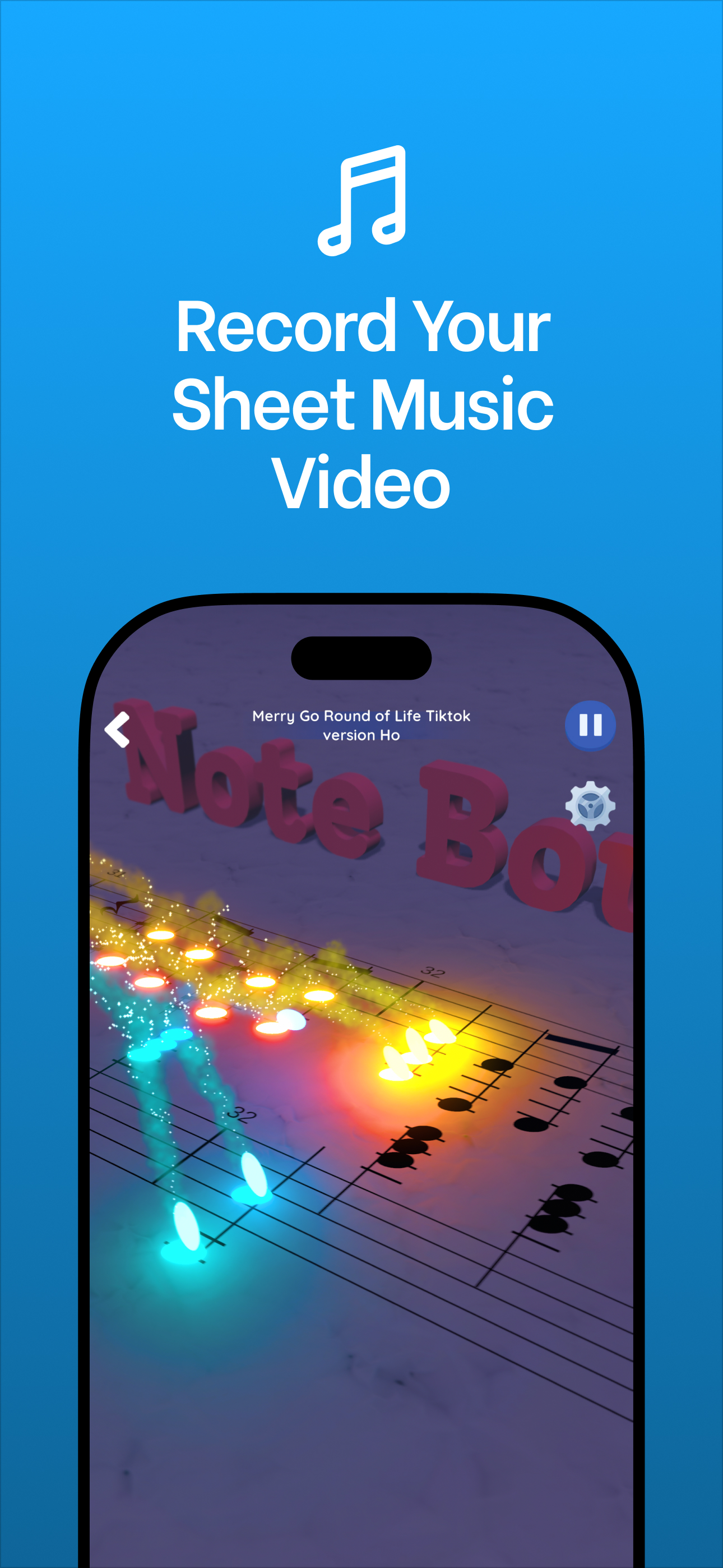
To make a sheet music video for TikTok or Reels, play a song in Note Bounce, render the gameplay as a video, and post it with a short caption that invites viewers to read along. Because the notes appear on a real staff while the balls land on them, you get "watch the notes" content without a camera, a piano or any editing skills.
Piano content on short-form video often shows the music itself: falling-note tutorials, hand-cam covers, scrolling scores. A sheet music video sits in that space but asks less of you. You don't have to perform in front of a camera, and viewers who can read a little music get a small puzzle to solve on every note. If you are new to reading notation yourself, the beginner's guide to reading sheet music covers the staff, treble clef and rhythm basics.
What you need
- Note Bounce on iOS, Android or Steam (Windows and macOS). It is free, with optional in-app purchases, and it works offline.
- A song. One of the piano or classical songs in the game, or a MIDI file you import.
- A posting account on TikTok, Instagram or YouTube. The same vertical clip can go to all three.
Step 1: Choose a song that reads well on screen
Not every piece makes a good sheet music video. The best ones are easy to follow on a phone:
- A clear, recognizable melody. Viewers stay to see a tune they know written out. Folk melodies and classical themes such as Ode to Joy, Für Elise or Korobeiniki (the melody known as the Tetris theme) work well.
- A moderate tempo. If notes fly past faster than a viewer can read them, the "read along" idea falls apart.
- Short phrases. A melody that repeats or answers itself gives viewers a pattern to spot.
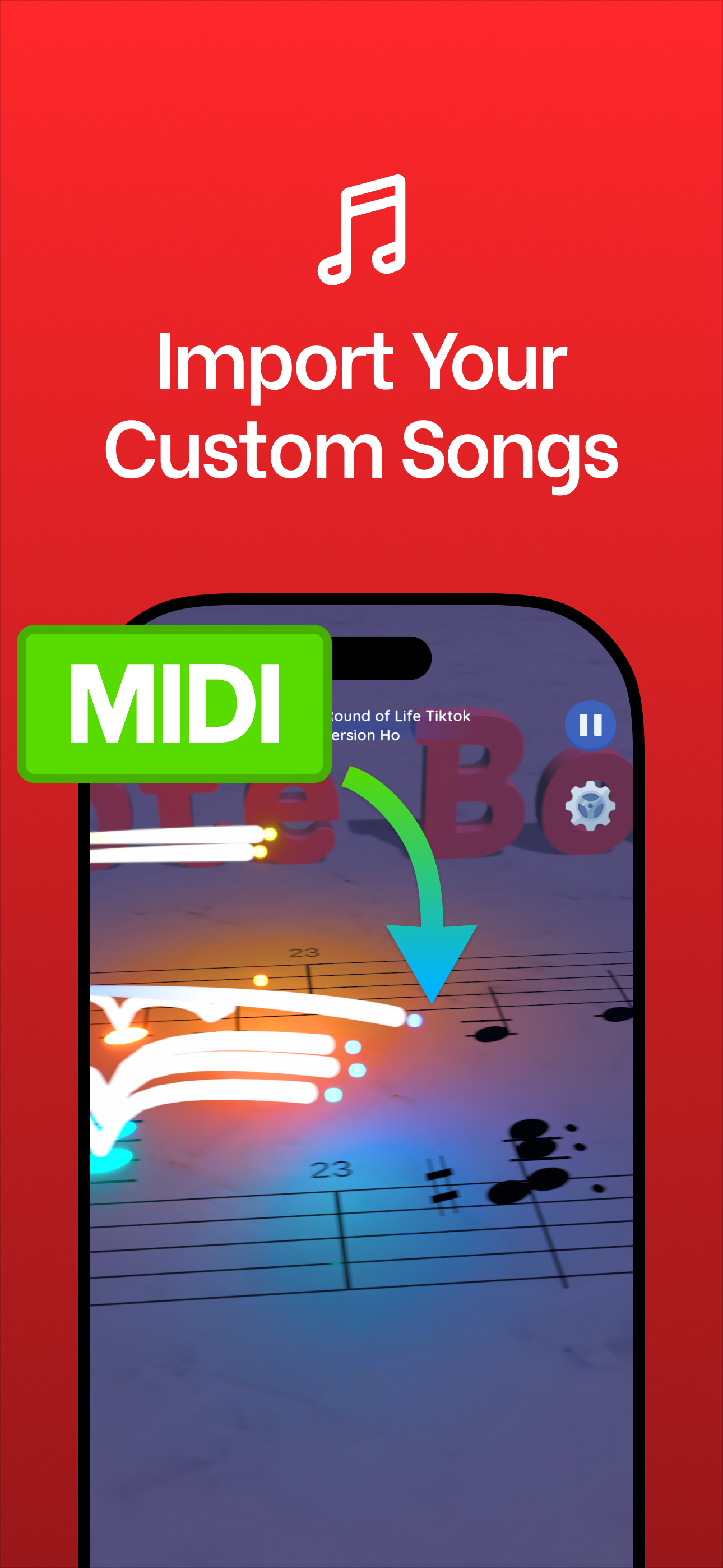
To use a specific piece, import it as a MIDI file to build a custom level. Public-domain scores and MIDI files are available from the Mutopia Project, and IMSLP hosts public-domain scores you can check your MIDI against. A public-domain composition doesn't make every MIDI arrangement public domain, so check the license of the file you use.
Step 2: Play it until the run looks clean
In Note Bounce you guide bouncing balls to tap the correct notes on the sheet music at the right time. Your run is what viewers will watch, so treat the first few plays as rehearsal:
- Play the level two or three times so you know where the tricky passages are.
- Aim for a run without misses in the section you plan to post. A clean run looks deliberate; a run full of misses reads as a different kind of video (which can also work, see the ideas below).
- Pick the 15 to 45 seconds you want to use. Usually that is the opening phrase or the most famous part of the melody.
Step 3: Render the gameplay video
Note Bounce renders gameplay videos to share. Render your run, then watch the file once on your phone before posting. Check two things: that the staff and noteheads are readable at phone size, and that the clip starts on the first note rather than on a pause.
Step 4: Add a hook and post
A sheet music video asks the viewer to do something, so tell them what. Put one line on screen in the first second and a short caption below it. Some examples:
| Hook style | On-screen line | Caption |
|---|---|---|
| Reading challenge | "Can you read this before the ball lands?" | "Name the first three notes in the comments." |
| Recognition | "You know this melody. Do you know its notes?" | "Korobeiniki, a 19th-century folk song." |
| Learner diary | "Day 12 of learning to read music" | "Today: the first phrase of Für Elise." |
| Slow reveal | "Guess the song from the sheet music" | "Answer at the end." |
Keep the song name somewhere in the caption or the on-screen text. Many people scroll with the sound off, and the name tells them why the clip is worth hearing.
Three video ideas to try this week
The read-along. Post a clean run of a well-known classical theme with "Read along with me" on screen. This is the simplest format and the one to start with.
The note-name quiz. In your video editor, hold the first frame for two seconds before the run starts, with "Name these notes" as the hook. The answer arrives when the balls land.
The story of the tune. Pair a run of Korobeiniki with one line of history: it began as a melody set to Nikolay Nekrasov's 1861 poem, according to Wikipedia, long before it became the melody known as the Tetris theme. Viewers who recognize the tune learn something new in a few seconds.
If you post covers of modern copyrighted songs, keep in mind that this carries copyright risk on every platform. Check each platform's music policy, or stick to public-domain pieces.
Turn the same song into a second clip
Once a song works as a sheet music video, try it as a pure "satisfying" clip too. Marble Music turns the same MIDI into a bouncing-marble music video with no notation on screen and renders it in up to 4K, which suits viewers who want to watch rather than read. Its site also hosts a free MIDI library, so you can find a file there and import it into both games.
Make your first sheet music video
Open Note Bounce, pick one melody you can play cleanly, render the run, and post it with a single reading-challenge hook. Post a few versions of the same idea with different songs, and keep whichever hook gets people commenting with note names.
Frequently asked questions
Can I make piano videos without playing piano?
Yes. In Note Bounce you play a level by tapping notes on the screen, then render the gameplay as a video. The music and the notation come from the level, so you don't need a piano, a microphone or a camera.
Can I import my own song into Note Bounce?
Yes. Note Bounce has MIDI import, so you can build a custom level from a MIDI file. Use a public-domain piece, your own composition, or a file whose license allows it.

Get Note Bounce
Learn to read sheet music while you play. Free on iOS, Android and Steam.