Simply Piano vs Note Bounce: Learn to Play or Learn to Read?
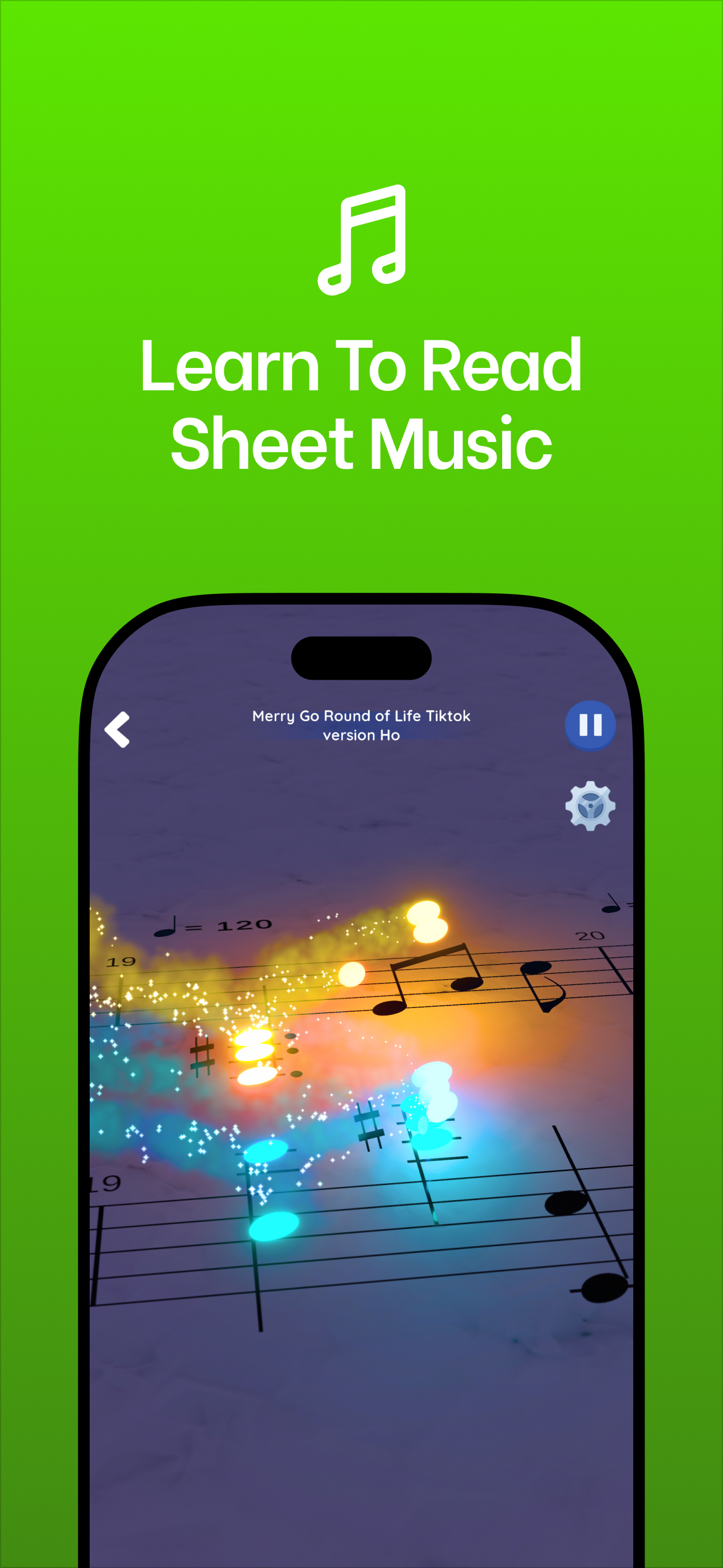
Simply Piano and Note Bounce do different jobs. Simply Piano is a piano course app: you play a real piano or keyboard, and the app listens and guides you through lessons and songs. Note Bounce is a rhythm game where bouncing balls land on real sheet music, so it trains you to read notes and rhythm, with or without an instrument nearby. If your goal is to play piano, Simply Piano is the more direct fit; if your goal is to read music, for any instrument, Note Bounce is built for that, and the two can work side by side.
This comparison uses only what each app's official store pages and help center say, so you can check every detail yourself.
What each app is
Simply Piano, by Simply (formerly JoyTunes), is a step-by-step piano course. According to its App Store listing, it listens to every note you play, through the microphone or a MIDI connection, and gives instant feedback. It's available on iPhone and iPad and on Google Play. The download is free with access to selected songs and lessons, and full access to songs and courses needs a Premium subscription, according to its help center.
Note Bounce is a rhythm game where balls bounce onto the notes of real sheet music as the song plays, so you read pitch and rhythm in context. It has piano and classical songs, MIDI import for custom levels, works offline and renders gameplay videos. It's free on iOS, Android and Steam (Windows and macOS), with in-app purchases. See the Note Bounce home page.
Side by side
| Simply Piano | Note Bounce | |
|---|---|---|
| Main goal | Learn to play piano | Learn to read notes and rhythm |
| Needs a piano or keyboard | Yes | No |
| How it checks you | Listens to your playing (mic or MIDI) | Gameplay on the sheet music |
| Structure | Step-by-step courses and lessons | Songs as game levels |
| Your own music | Song library in the app | MIDI import for custom levels |
| Platforms | iPhone, iPad and Android | iOS, Android and Steam (Windows, macOS) |
| Pricing model | Free download, Premium subscription for full access | Free, with in-app purchases |
| Offline | Check the store listing | Works offline |
| Video output | Check the store listing | Renders gameplay videos to share |
Prices and features change, so check each store page before you decide.
The real difference: hands vs eyes
Learning piano involves two skills that often get mixed up: playing (finding keys, finger technique, coordination) and reading (turning notation into notes and rhythm). Simply Piano trains both at once, with the instrument as the center. You learn by playing songs, and reading comes along as part of the course.
Note Bounce focuses on the reading half. There are no fingers to coordinate, so all your attention goes to the staff: which line or space each note is on, how long it lasts, and what comes next. That makes it useful for people who:
- Play an instrument other than piano and want to read better.
- Are away from their piano and still want to practice reading.
- Find that their reading lags behind their playing.
Who each one suits
Simply Piano fits you if:
- You have a piano or keyboard and want to start playing songs.
- You like a guided course that tells you what to do next.
- You're comfortable with a subscription for full access.
Note Bounce fits you if:
- Your main goal is reading sheet music, for any instrument.
- You want short practice on your phone or computer, including offline.
- You want to practice with your own pieces through MIDI import.
- You like making videos of what you practice.
Both fit you if you're learning piano and want your reading to keep up with your playing.
How to use them together
A simple weekly rhythm for piano learners:
- Play in Simply Piano for your main practice session, following its lessons.
- Read in Note Bounce for 10 minutes at another time of day, ideally away from the piano. Name the notes out loud as the balls land.
- Pick one piece for both. When a public-domain piece comes up in your lessons, such as Ode to Joy, find or export a MIDI of it and import it into Note Bounce to read it on its own.
- Check in weekly. If you can read a piece's notes before you play it, your reading is keeping up.
If you're starting from zero on the staff, the beginner's guide to reading sheet music covers the lines, spaces and basic rhythm first.
If you'd rather make videos
Some people searching for piano apps really want to share piano music, not practice it. Marble Music (formerly Beat Bounce) turns songs and MIDI files into bouncing-marble music videos where the marble lands on every note, ready for TikTok, Reels and YouTube Shorts, with no instrument needed. Have a look at Marble Music.
The short answer
Choose by goal. To play piano with a guided course, Simply Piano is designed for exactly that. To read sheet music more fluently, wherever you are, Note Bounce gives you daily reading practice on real notation. Many learners get the most from using both.
Frequently asked questions
Do you need a piano for Simply Piano?
Yes. Simply Piano is built around playing a piano or keyboard: you place your device on or near the instrument and the app listens to your playing through the microphone or a MIDI connection.
Is Note Bounce a replacement for piano lessons?
No. Note Bounce is a rhythm game where bouncing balls land on real sheet music, so it gives you daily practice at reading notes and rhythm. It doesn't teach technique or replace a teacher or a course.
Get Note Bounce
Learn to read sheet music while you play. Free on iOS, Android and Steam.