Best Free Apps to Learn to Read Sheet Music (2026)
The best free app to learn to read sheet music depends on your learning style: drill apps such as Music Tutor and NoteRacer for fast note naming, course apps such as Simply Piano and flowkey if you are also learning piano, and a game like Note Bounce if you want to read real songs and rhythm. Many people get the best results by combining one drill tool with one app that puts notes in a musical context.
This guide sorts the options by how they teach, not by a ranking. Every detail below was checked on the developer's official site or store listing in October 2026. Prices and free tiers change, so check the listing before you download. If you are starting from zero, the beginner's guide to reading sheet music explains the staff, treble clef and rhythm basics these apps drill.
Four ways apps teach reading
Before picking an app, decide which kind of practice you need right now:
- Drills. One note at a time, as fast as you can name it. Great for building recall of note names.
- Courses. Step-by-step piano lessons where reading is one of several skills you learn.
- Notation software. Open, play back and edit scores. Useful once you can read a little and want real pieces.
- Games. Notes arrive in real melodies with real rhythm, so you read in context instead of one note at a time.
Most learners need drills early, then more context as names become automatic.
Drill apps for fast note naming
musictheory.net and Tenuto. The musictheory.net website offers free online lessons and exercises, including a note identification drill and lessons on the staff, clefs and ledger lines. Its companion iOS app, Tenuto, is a paid app with 24 customizable exercises. If you want to start free, use the website.
Music Tutor (Sight-reading). A note-naming trainer for treble, bass and alto clefs, in timed or untimed sessions, with a custom practice range of up to four ledger lines above or below the staff. The App Store version is free with ads, and a paid Plus version removes them.
NoteRacer. A sight-reading drill on the App Store, free to download with in-app purchases. You can answer by tapping on-screen piano keys, tapping note names, or playing a real piano in its listening mode. Drills can be set to treble clef, bass clef or the full grand staff, and in its game mode the notes scroll faster as you improve. It runs on iPhone, iPad and Mac.
Note Rush. A note-reading game that uses your device's microphone to check that you play each note on your instrument, like flashcards that listen. It has preset levels for piano and a range of other instruments, plus custom levels. On the App Store it is a paid app rather than a free one, but it is worth knowing about if you want flashcards that check your playing.
Course apps that teach reading as you learn piano
Simply Piano. A piano course app that listens to you play on any piano or keyboard and gives instant feedback. It is on iOS and Android, per its official site. The App Store listing says it is free to download with two free courses, and the rest needs a premium subscription.
flowkey. A piano learning app on iOS, Android and the web. A free flowkey account gives you a limited selection of beginner lessons and songs, and paid subscriptions unlock the full library. It shows a video of a pianist playing alongside the sheet music, and on a tablet in portrait mode you can practice from a full sheet music view.
Course apps are a good fit if your goal is to play piano and reading is part of that. If you only want to read music, for choir or another instrument, a drill app or a game may be more focused.
Notation software for real scores
MuseScore Studio. Free, open-source notation software for your computer, per musescore.org. It plays scores back as you follow along, and it moves files to and from other programs via MIDI and MusicXML. For where to find scores to open, see IMSLP vs Mutopia vs MuseScore.com.
For reading practice, try this:
- Download a public-domain score from IMSLP or the Mutopia Project.
- Open it in MuseScore Studio and read the first line slowly before you press play.
- Play it back and check your reading against the sound.
- Export the piece as MIDI if you want to practice it in another app.
A game that uses real songs: Note Bounce
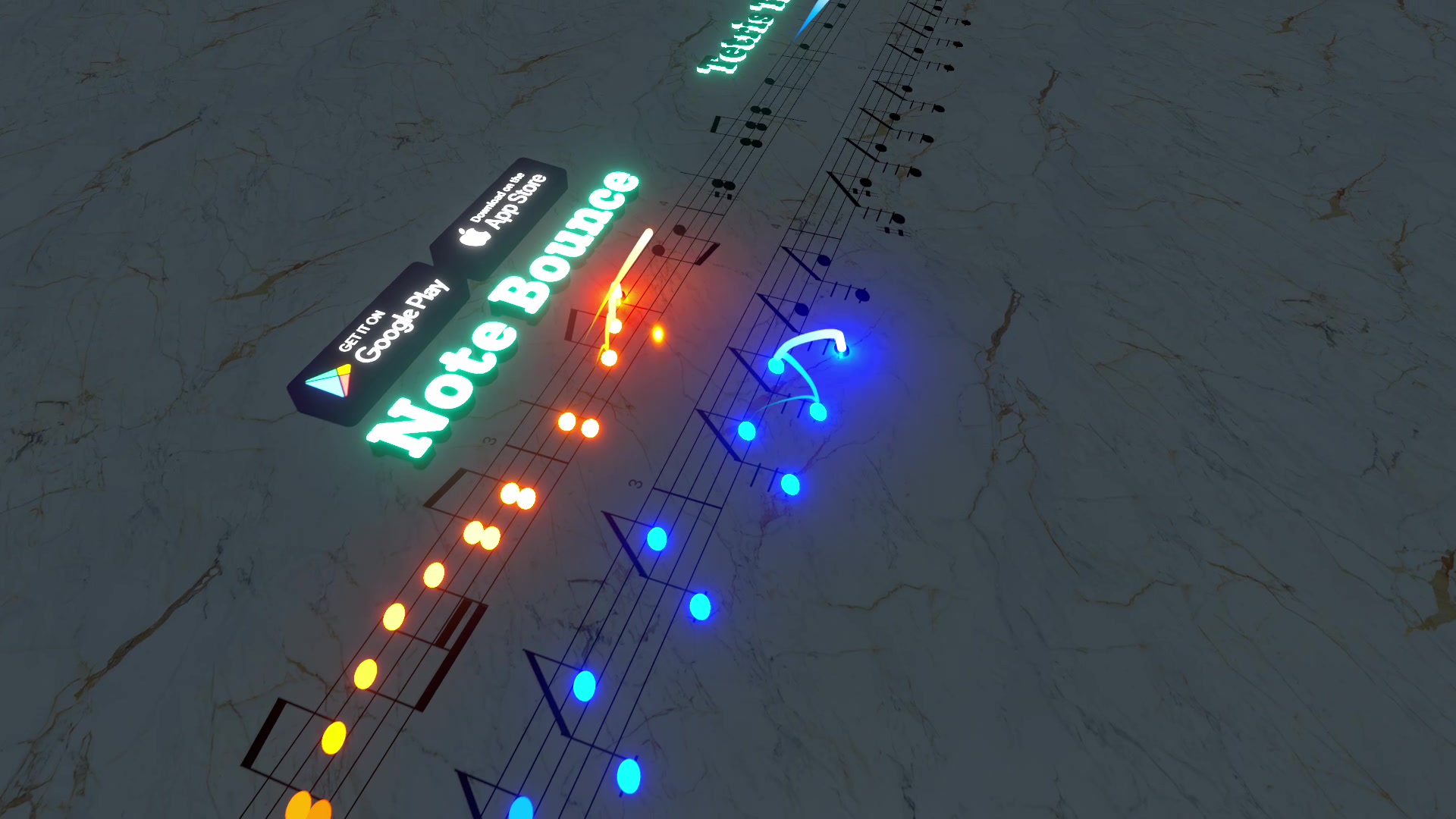
Note Bounce takes a different route from flashcards. Bouncing balls land on real sheet music, so you read notes and rhythm together while you play piano and classical songs. It is free on iOS, Android and Steam (Windows and macOS), with optional in-app purchases, and it works offline. MIDI import lets you build your own levels, so the piece you exported from MuseScore Studio can become something you play and read again and again.
It fits best as the daily habit that keeps your reading in shape once you have learned the basics with a drill or a course.
Once you can play a piece through, you may want to share it. Marble Music (formerly Beat Bounce) turns a song or MIDI file into a bouncing-marble music video and renders it for TikTok, Reels and YouTube Shorts. It suits learners who want to post what they are working on without filming themselves.
Pick this if...
| Pick this | If you want... | Free status |
|---|---|---|
| musictheory.net (website) | Free online lessons and a note identification drill | Free |
| Music Tutor | Note-naming drills in treble, bass and alto clefs | Free with ads, paid ad-free version |
| NoteRacer | Speed drills you can answer from a real piano | Free download, in-app purchases |
| Note Rush | Flashcards that listen to your instrument | Paid on the App Store |
| Simply Piano | A guided piano course with feedback as you play | Free content, Premium subscription |
| flowkey | Piano lessons with a pianist's hands and sheet music | Free account, paid subscriptions |
| MuseScore Studio | Real scores with playback, plus MIDI export | Free and open source |
| Note Bounce | Reading real melodies and rhythm as a daily game | Free, in-app purchases |
A practical combination: ten minutes of drills to learn names, then a few minutes in a game or with a real score to read them in context. Change the mix as names become automatic. For how to split that time week by week, see note flashcards vs rhythm games.
Frequently asked questions
Which app is best for learning to read music?
It depends on how you like to learn. Drill apps such as Music Tutor or NoteRacer build fast note naming, course apps such as Simply Piano or flowkey teach reading as part of learning piano, and a game like Note Bounce keeps you reading real melodies and rhythm in short sessions.
Can you learn sheet music with an app alone?
You can learn note names and basic rhythm with apps, and many people do. A teacher or a structured course still helps with technique, posture and the habits that are hard to spot on your own.
Get Note Bounce
Learn to read sheet music while you play. Free on iOS, Android and Steam.